|
-
Mako Shark

Lol, wow. AlmostFamous... is that you???
Yes, screenshots from Windows System Properties, CPU-Z, PCWizard07, and successful Prime95 runs can be provided to prove a stable 3.5Ghz overclock. I'll do these tomorrow once I get back home after being on the road for business. Many other people have reported overclocks in the 3.5Ghz-3.6Ghz range, and beyond... not everyone, but a large enough portion of the community to show that yes, it *IS* possible.
http://www.hardforum.com/showthread.php?t=1183692
edit: I mean 3.5Ghz overclock. I posted earlier in this thread that I went with a 3.5Ghz overclock, for stability.
Last edited by kent1146; 06-15-2007 at 07:50 PM.
-
 Originally Posted by kent1146
I settled on an overclock of 3.5Ghz at 1.5V to be stable, and I have temps of around 41C idle, 53C under stress.
This is the other thing i question. most of the windows screenshots i've seen are bursting through 65C or 70C under stress at the same voltage (which is the primary heat generator) - the fact that you say you ran your benchmark, then rebooted then took the screenshot from the bios means the computer had more than enough time to cool down - i know mine drops 5c to 10c in just a few seconds after i stop a benchmark or game.
-
πr²

Holy crap, thats the worst application of AS5 I have ever seen.
And damnit, I knew I should've put a patent on the rubber band drive suspension  Been doing it with vacuum cleaner bands for years. Been doing it with vacuum cleaner bands for years.
-
Mako Shark
Yeah, it was a pretty shoddy job of AS5.
It didn't occur to me until I got to the lapping attempt that I should do things like... look up the instructions for how to apply AS5.
The new application of AS5 uses the "thin nline down the middle" method.
-
By the Power of Greyskull

Originally Posted by rabidmoose171
Holy crap, thats the worst application of AS5 I have ever seen.
And damnit, I knew I should've put a patent on the rubber band drive suspension Been doing it with vacuum cleaner bands for years.
You beat me to it!!!!
I was going to say that the AS5 application was terrible and quite thick.
But I agree with Sellout with regrads to the heat. Run a program that stresses both cores at the same time and that 54c will be 70c :P
Use ORTHOS or something similiar for hours, even SUPERPI is not a good way to test stability.
Intel I9 14900K|ASUS - MAXIMUS Z790 HERO|ASUS GTX 1080 Ti|64GB G.Skill|(3) Samsung 990 Pro 4TB NVME |Custom water cooling||Alienware AW3423DW 34" OLED
288TB Plex server (UNRAID)
(16) WD Red Pro 20TB
-
Great White Shark

I want to use a program to do a stress test my ram and cpu.
what is a good program for that?
C2D Q6600 @ 3.2 ghz, Enermax Liberty 620watt PSU, Gigabyte GA-965PDS3 mobo, 4x2gb OCZ DDR2 800mhz, 2x OCZ vertex 60gb Raid0 + 1TB + 320gb HD, SB Xi-Fi Extreme Gamer, 16x DVDRW Liteon, Logitech Cordless MX3100 desktop w MX1000 mouse + G9 laser mouse, Logitech cordless rumblepad 2, Sennheiser HDR100 wireless headset, ATI Remote Wonder II, Logitech QuickCamPro 9000, Eyefinity Triple 24" Widescrn LCD + ATI 5870, Win 7 ultimate
-
Originally Posted by rimmerchant
I want to use a program to do a stress test my ram and cpu.
what is a good program for that?
Fire up prime95 for about 8 hours. if your system can handle that, it's stable. you can also try an overnight cpu burn-in from Sandra....but prime95 is much more punnishing.
-
Reef Shark

Originally Posted by sellout
Ok, i totally have to call you on this - i find it very difficult to believe that you managed to achieve a 1.4 ghz overclock on a relatively base model core2 with air cooling - especially when i consider that the highest overclocks i've seen in a REPUTABLE publication are at 3.4ghz with WATER COOLING and are STILL unstable under certain benchmarks. So please, backup your claims with actual WINDOWS screenshots of some form of utility like ntune or speedfan or something that shows you're not completely full of crap. digital pictures of your bios prove NOTHING.
Huh I know I've seen 3.6 to 4 ghz with base models with windows pictures of orthos for like 4 to 6 hours. and my e4300 can do 5 hours of orthos @ 2.7 @ 1.12 V core so @ stock I assume with decent cooling my chip should at least do 3.3 if I up the voltage a bit maybe 3.5 But I need a decent MB and well a pci express vidcard (cause I'm stuck with this crappy 4coredual-vsta till I can afford both of that). So I think your misinformed the c2d's rock
my .02
terramir
Q9550 @ 4ghz cooled by freezone mod with apogeeXT and thermaltake pump
GT 220
2x 1tb 7200rpm
GA ep45T-USB3P
2x2gb reaper ddr3 1600
next Living room tivo
GA45-ud3l with an E4300 (about to be replaced by a quadcore) cooled by old freezone pump, F150 (80's heatercore and DtekfuzionV1
network and tv tuners by usb for all 
I wish for world peace, hence my handle terramir came up with it in the 80's when mir(russian spacestation) went up terra (latin earth, world) mir( russian for peace)
-
Goldfish

Originally Posted by Colossus
You beat me to it!!!!
I was going to say that the AS5 application was terrible and quite thick.
But I agree with Sellout with regrads to the heat. Run a program that stresses both cores at the same time and that 54c will be 70c :P
Use ORTHOS or something similiar for hours, even SUPERPI is not a good way to test stability.
I agree.
kent1146, nice build and nice overclock. I just finished mine as well and did moderate OC with stock cooling to get just slightly above X6800 territory, which was easily done. Not trying to rag on you but that's no way to measure temperature. By shutting the system down and rebooting you allow the system to cool a lot (as in 10-12 degrees easy). That happens within seconds of stopping a demanding process. Fire up a monitor software and watch it climb while running ORTHOS, or two instances of Prime95. I believe at that voltage and clock speed it will go higher than 53C even with the excellent cooler you have.
For the record my modest but stable overclock specs:
- C2D E6600 @ 3.04GHz (1.375V core voltage) 338MHz FSB x9 CPU multiplier
- Stock cooling
- 2x1GB G.SKILL DDR2 800 (PC2 6400) @ 900MHz, timing 4-4-3-6 (2T) 2.0V - Memory clock was unlinked from CPU
- EVGA GeForce 8800GTS @ 660MHz core & 1000MHz Mem
- Around 24,300 MIPS and 19,500 MFLOPS in Sandra XI Lite (Beats stock X6800 reference figures)
- 3DMark2006 score of 11060
I did not go higher because of the stock cooling. My system with these settings stays around 41-43C idle and 61-63C under 100% load, depending on ambient. Frankly, I think that's kinda high (for a Core 2 Duo anyway) and I did not want to risk doing damage.
Last edited by 3Designer; 06-15-2007 at 04:30 PM.
--
"After the philosophers had abandoned the search for the absolute, the
utopians took it up. They weave dreams about the perfect state." Ludwig von Mises
-
Mako Shark
Originally Posted by sellout
Ok, i totally have to call you on this - i find it very difficult to believe that you managed to achieve a 1.4 ghz overclock on a relatively base model core2 with air cooling - especially when i consider that the highest overclocks i've seen in a REPUTABLE publication are at 3.4ghz with WATER COOLING and are STILL unstable under certain benchmarks. So please, backup your claims with actual WINDOWS screenshots of some form of utility like ntune or speedfan or something that shows you're not completely full of crap. digital pictures of your bios prove NOTHING.
Pic of a burn-in that ran overnight for 11:45. 3.5Ghz @ 1.5V.
This is after all of the mods and tweaks I performed after the initial build of the system... new 600W PSU, lapped the CPU, new application of AS5 (thin line down middle of CPU, not the peanut-butter-jelly-sandwich approach of applying it).

-
Reef Shark
kent very nice OC but next time use orthos so ppl can tell how long you were testing under 2 1/2 hours can't really be considered stable yet. just to let you know for the future. BTW what's the diff btw. the 6420 and the 6400 ? I just got a lowly E4300 @2700 MHZ (MB FSB Limit ) But @ 1.136 Vcore stable when I get a better MB maybe 3.3 on stock maybe more ) But @ 1.136 Vcore stable when I get a better MB maybe 3.3 on stock maybe more
terramir
Q9550 @ 4ghz cooled by freezone mod with apogeeXT and thermaltake pump
GT 220
2x 1tb 7200rpm
GA ep45T-USB3P
2x2gb reaper ddr3 1600
next Living room tivo
GA45-ud3l with an E4300 (about to be replaced by a quadcore) cooled by old freezone pump, F150 (80's heatercore and DtekfuzionV1
network and tv tuners by usb for all
I wish for world peace, hence my handle terramir came up with it in the 80's when mir(russian spacestation) went up terra (latin earth, world) mir( russian for peace)
-
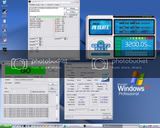
I didn't do too bad with my Conroe.
So far, it's 5hrs+ Orthos stable--3.2Ghz (8x400) @ 1.368V.
I want to get it to 3.4Ghz (8*425) some day.
Last edited by amd_freak; 06-18-2007 at 03:10 AM.
AMD FOREVER!
Well, things do change.
Intel E6600 Conroe @ 3.2 GHZ (8x400) L651B @ 1.36V
Scythe Ninja with SilverStone SST-FM121
Asus P5K-Deluxe Wi-Fi
4x1024MB Crucial Ballistix PC2-8500 DDR2
HIS Radeon 4890HD 1024MB DDR5
OCZ Powerstream 520W SLI
3D Mark 2006: Who cares?!
 Posting Permissions
- You may not post new threads
- You may not post replies
- You may not post attachments
- You may not edit your posts
-
Forum Rules
|
|


 Reply With Quote


